RoboForAll
The problem
I've been fascinated by robotics since I was a kid, and I've been lucky, competition teams, research, and the space to tinker on my own. But most of the tools that got me here are expensive. A single classroom robotics kit can run hundreds of dollars, which puts hands-on robotics out of reach for a lot of the elementary schools that would benefit from it most. For my senior project I wanted to close some of that gap and build something a teacher could afford to put in front of a room full of kids.
The goal was a fully functional, replicable educational robot optimized for three things: ease of use, modifiability, and cost. I called it RoboForAll.
Talking to educators first
Before I designed anything, I wanted to understand what actually works in a classroom, so I sat down with two educators who see it every day.
Mr. Clint Johns, a middle school computer science teacher, stressed the importance of starting with pre-made examples and "easy wins" to build confidence, keeping energy high, and writing flexible lessons that meet students wherever they are. Ms. Lynette Hovland, the principal of a local elementary school, pushed me toward open-ended exploration and creativity for younger learners, and pointed out the practical barriers I hadn't considered, limited teacher prep time and how something as simple as cutting or fiddly assembly can derail a lesson.
Those conversations shaped the entire project. They're why the kit assembles with almost no setup, why the curriculum starts with guaranteed wins before opening up, and why nothing about it assumes the teacher is a robotics expert.
The robot
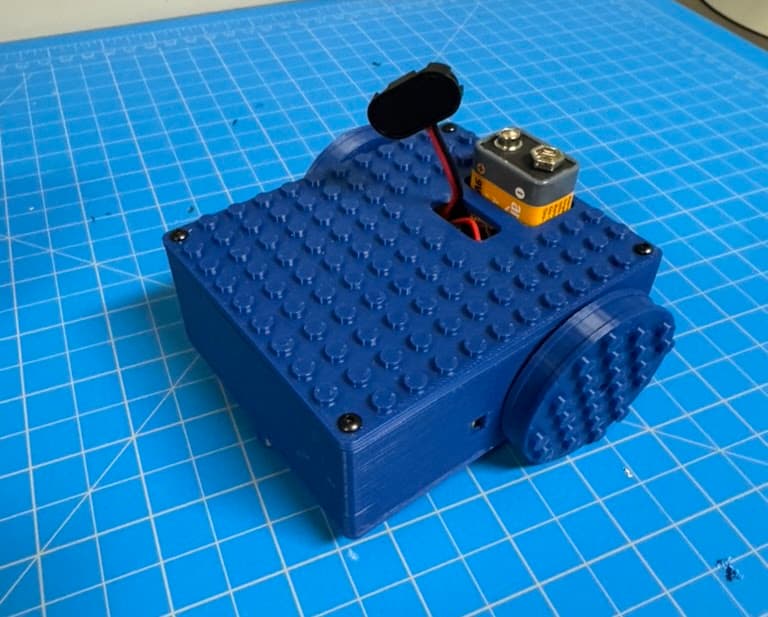
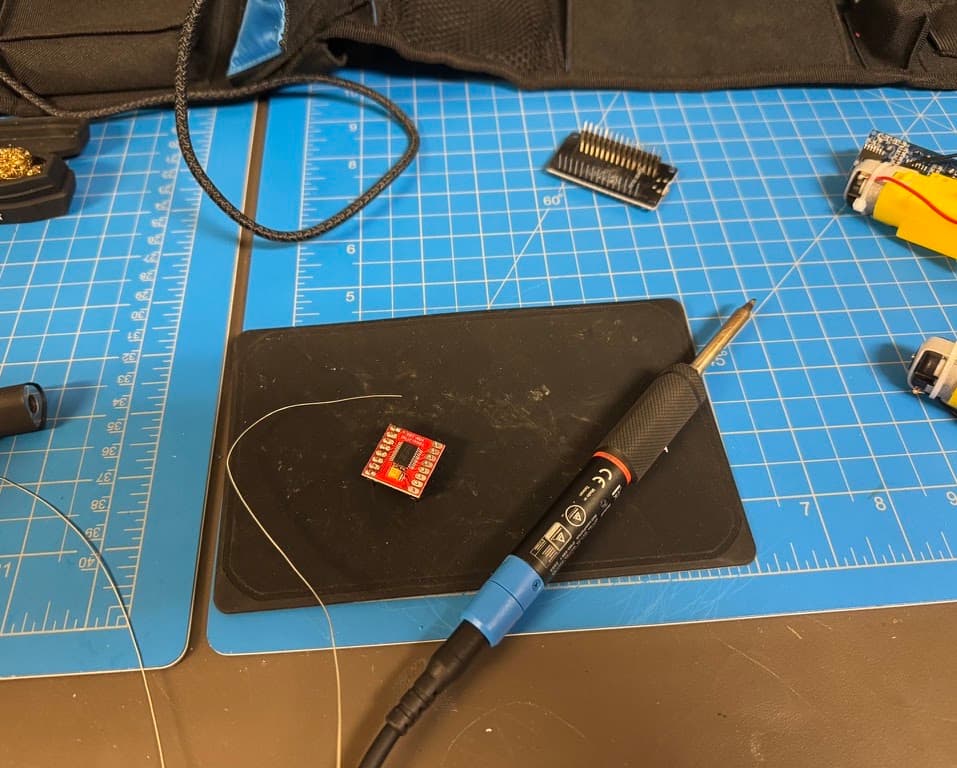
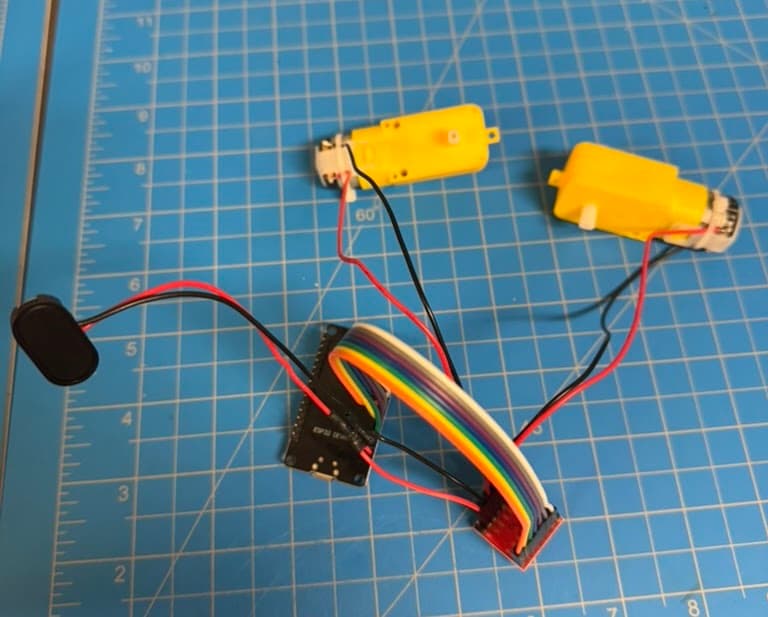
The hardware is deliberately minimal. RoboForAll runs on an ESP32 microcontroller paired with a TB6612FNG motor driver and two TT gear motors, all mounted to a chassis I designed in CAD and 3D-printed. That's the whole build. Every part is cheap, widely available, and easy to source, and the chassis prints on any hobbyist printer, so a school can replicate the entire kit for a fraction of the cost of a commercial one.
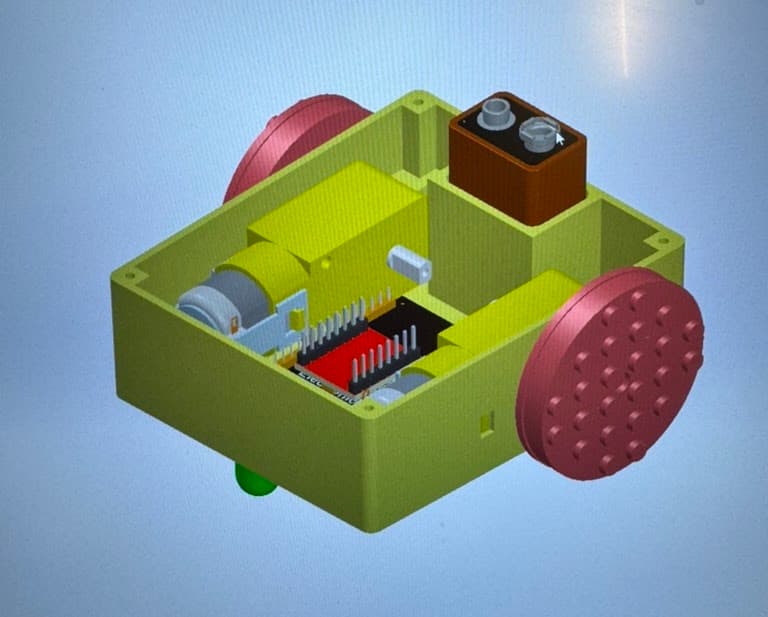
Keeping the parts count low was an intentional design choice as fewer components means faster assembly, fewer things to break, and a robot a nine-year-old can put together and understand end to end.
The platform
I built roboforall.org to be the other half of the project, a place where the teacher has every resource needed to assemble, troubleshoot and then teach with the robot.
Students program the robot with Blockly, dragging blocks to create movement behaviors while picking up the real fundamentals underneath: programming logic, robot construction, and wiring. The site includes a Bluetooth-enabled Studio page that connects to the robot and pushes code straight to it, a multi-lesson curriculum written to drop directly into a classroom, a full parts list, and assembly, setup, and troubleshooting docs.
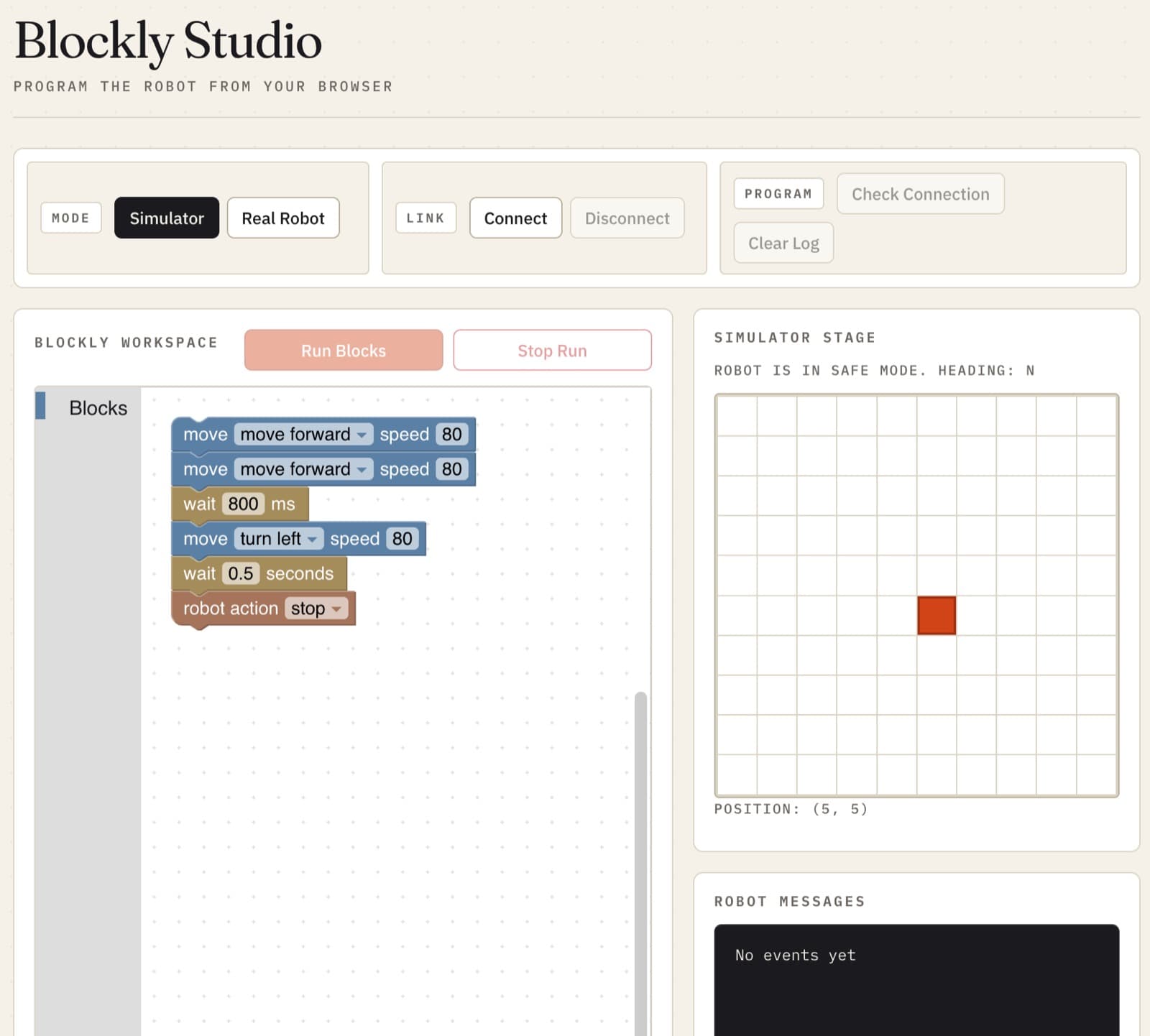
The piece I'm proudest of is the built-in simulator. Not every school can buy hardware for every student, so the simulator lets kids write and run the exact same Blockly programs on-screen, no physical robot required. It means a classroom can start learning immediately, and scale up to real robots whenever the budget allows.
The result
What started as a way to make robotics cheaper turned into a complete, replicable system, hardware, curriculum, and software, that a school can pick up and teach with regardless of budget or prior experience. A student can go from dragging their first Blockly block to driving a robot they programmed themselves, and a teacher can run the whole thing without any robotics background.
It's the project I'm very proud of, because it takes the thing I love most and hands it to the students who'd otherwise never get to try it.